Posts

Showing posts with the label Privacy

Millions of iPhone users urged to download new update to protect iCloud data

Image
Tech experts warn that users ignoring the clever new iPhone feature could risk personal data falling into the wrong hands. A new iPhone update could be the vital difference to helping Apple users keep their private images and texts safe. The clever iPhone feature has only just been added to Apple as part of the iOS 16.3 update which began rolling out across the world this week. The Advanced Data Protection feature helps protect users iCloud back ups. Most iPhone users opt to back up their iCloud content automatically, in an effort to ensure their personal data is not lost. However, tech experts in the past have warned this data could fall into the wrong hands if not protected. The normal iCloud backup system is called the Standard Data Protection and works through using encryption. This means your data is unreadable unless you have the exact correct ‘key’. “The encryption keys from your trusted devices are secured in Apple data centres,” Apple explains on their website. “So Apple can d...

Zuckerberg really wants iPhone users to shift to WhatsApp

Image
  A campaign from Meta-owned WhatsApp says iMessage is less secure, with CEO Mark Zuckerberg pushing incorrect claims about the Apple messaging service. An advertisement displayed above Penn Station is making the rounds with heads of Meta and WhatsApp pushing the message. It suggests that WhatsApp is a more secure and private alternative to iMessage. The advertisement shows text bubbles models after Apple's Messages app, one in green and one in blue. A third bubble shows "private bubble" suggesting that WhatsApp is a truly private platform. Mark Zuckerberg posted an image of this advertisement on his Instagram with text calling WhatsApp "a far more private and secure" platform. Cross-platform encrypted messaging with Android and disappearing chats are the reasonings behind his claim. The post also calls out Apple's iCloud backups containing iMessage encryption keys. However, it incorrectly suggests that iPhone users do not have an option for end-to-end encry...

Threema Messenger Review

Image
  Today we're going to look at Threema, a secure, anonymous messaging app from Switzerland. While Threema has never achieved the notoriety of apps like Signal or Telegram, that doesn't mean that it's not worth your attention. In this Threema review we'll show you everything this secure messaging app has to offer. Threema basics Threema is easy to use and has the full range of features you would expect from a secure messenger app. It offers text and voice messages, voice and video calls, groups and distribution lists, and the ability to share files, media, and locations. Everything is end-to-end encrypted, including the items you share. Threema also lets you conduct polls, have private chats that are protected by a PIN or fingerprint, verify contacts to prevent man-in-the-middle attacks, and quote text messages. Because you don't need to enter your phone number or email address when creating a Threema account, you can use the service completely anonymously. This is a...

Why you need a secret phone number (and how to get one)

Image
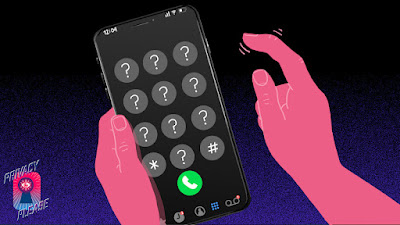
  Privacy Please is an ongoing series exploring the ways privacy is violated in the modern world, and what can be done about it. Your phone number was never meant to be an all-access pass to your life. That 10-digit string has likely followed you around the world and across the internet for years. Over the course of that time, you've almost certainly handed it out — willingly or otherwise — to every person, restaurant, social media platform, or online store that's asked. That's a problem. For someone with the right motivation, that number is a thread which, once pulled, can unravel your entire digital life — crashing down your privacy, bank account, or even your very identity. But it doesn't have to be. There's a way to mitigate the very real risks that come with treating your phone number like both a public identifier and a key protecting all your secrets: getting and maintaining a second phone number. Thankfully, as long as you're diligent about it, the proce...

New options for removing your personally identifiable information from Search

Image
  Privacy and online safety go hand in hand. And when you’re using the internet, it’s important to have control over how your sensitive, personally identifiable information can be found. On Google Search, we already have a set of policies that allow people to request the removal of certain content from Search, with a focus on highly personal content that, if public, can cause direct harm to people. But the internet is always evolving – with information popping up in unexpected places and being used in new ways — so our policies and protections need to evolve, too. Open access to information is a key goal of Search, but so is empowering people with the tools they need to protect themselves and keep their sensitive, personally identifiable information private. That’s why we’re updating our policies to help people take more control of their online presence in Search. Request the removal of personally identifiable information that appears in Google Search For many years, people have b...

How to use Safari's Privacy Report in macOS Monterey

Image
 While you browse, macOS Monterey's Safari is fighting off trackers and malware for you. Here's how to see just how much it's doing with its built-in privacy report. There are few options in Apple's Privacy Report feature in on macOS Monterey, but there is a lot of detail that can help you feel secure browsing. Apple's Privacy Report in Safari, introduced in macOS Big Sur, is a feature that you will use constantly — and yet rarely ever look at. Simply by using Safari in macOS Monterey, you get the benefits of this feature and it will improve your browsing experience. It aims to do this specifically so that companies who attempt to uniquely identify your Mac, and so track your web usage. Every site you visit requests some information — such as which browser you're using — but that's to give you an optimized web page. Safari's Privacy Report, and previous features including Intelligent Tracking Protection, blocks everything. You can ignore it all, you can ...